
Amazon Fire TV
Amazon Mobile LLCTools
4.691.30K Reviews
- Version
- Varies With Device
- Installs
- 50.00M
- Age Rating
- Everyone
Screenshots
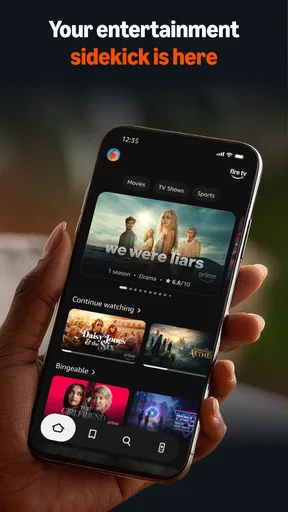
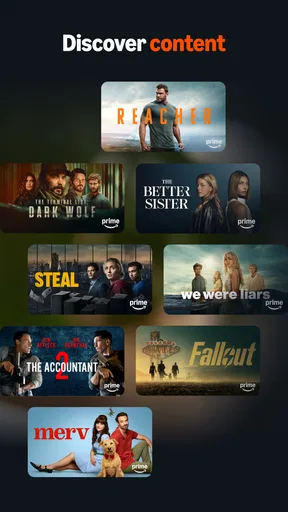
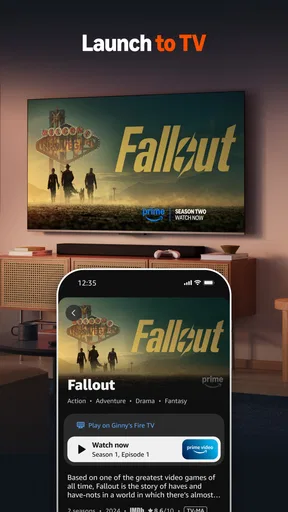
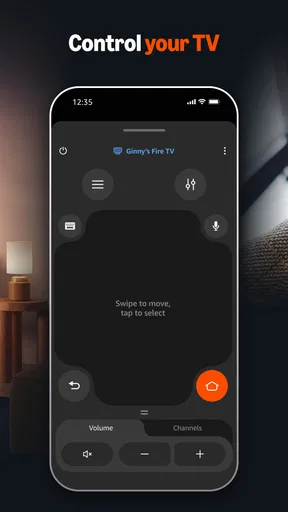
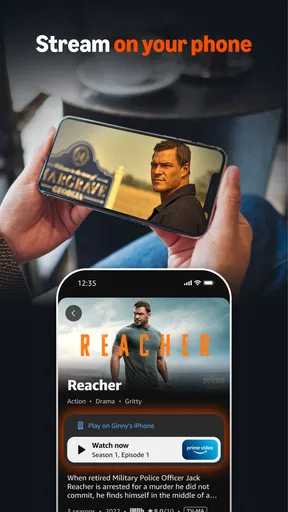
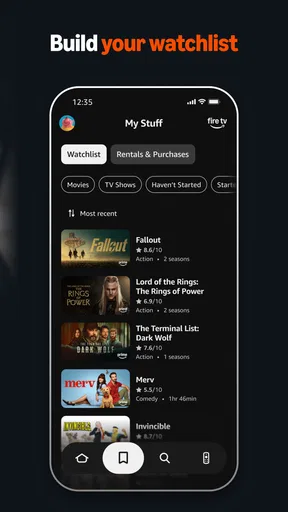
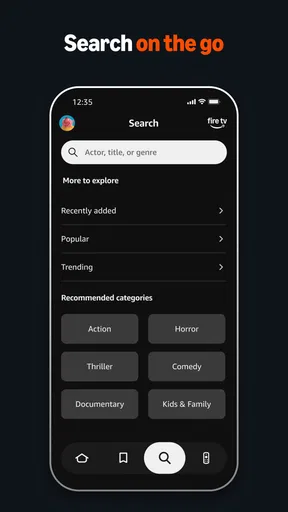
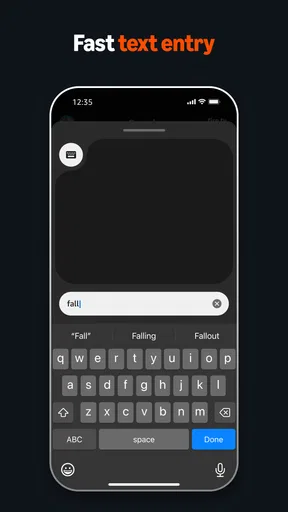
Our Review of Amazon Fire TV
 Analysis by Appyee
Using a phone as a remote sounds like a small convenience until the physical controller disappears between sofa cushions, runs out of power, or is simply too far away. I tested Amazon Fire TV with that everyday problem in mind, and my impression is that it works best as a practical companion for Fire TV owners rather than as a complete replacement for every remote-control situation. It puts navigation, text entry, and voice search on a device I already have in my hand, which can make ordinary streaming tasks noticeably less awkward.
This is a free tools app from Amazon Mobile LLC, designed specifically around Fire TV. Its purpose is narrow, and that is actually helpful: instead of filling the screen with unrelated controls, it focuses on moving through the interface, entering text, and searching by voice. The app is available for Everyone, and its current version is 4.6.0. I would not install it expecting a general smart-home controller or a universal remote for every television brand. Its value depends on owning and using a compatible Fire TV setup.
How the app feels in everyday use
The first thing I noticed was how familiar the basic layout feels if I have used a standard Fire TV remote. The phone becomes a navigation surface, with controls intended for moving around menus and selecting items. That matters when I am browsing a long row of films or applications, because I can keep my attention on the television instead of looking down repeatedly to identify tiny physical buttons.
The app is especially useful when the remote is not within reach. Imagine starting a film after dinner, then realizing the controller is on a side table across the room. Pulling out the phone is faster than interrupting the moment to search for it. It is also useful when several people are sharing a room and the remote is being passed around. A second person can use the phone for a quick search without taking control of the physical remote for long.
Text entry is the feature I found most valuable. Searching with a conventional remote usually means moving across an on-screen keyboard one character at a time. That is tolerable for a short title, but it becomes irritating with an actor’s name, a long film title, or an unfamiliar application. Typing on the phone is more natural, and the improvement is most obvious when I need to enter several words rather than just a single letter.
There is a useful distinction between the app’s keyboard and voice search. The keyboard is the dependable choice when I want to check exactly what I typed, while voice search is faster when I know the title or phrase and do not mind speaking it aloud. In a quiet room, voice input can save time. In a shared room, on public transport, or when other people are sleeping, the on-screen phone keyboard is less disruptive.
Navigation also benefits from the phone’s always-available nature. I can hold it in one hand while keeping the other free for a drink, a snack, or a child who needs attention. That sounds minor, but remote controls often become inconvenient precisely during these small moments. The app turns the phone into a familiar backup without requiring me to learn a completely different control system.
Connection and setup deserve patience
The biggest practical condition is that the phone and Fire TV need to be part of a workable connection setup. If the app cannot see the device, the problem is not solved by tapping the controls more forcefully. I would first check that the television device is powered on, that the phone is connected to the expected home network, and that the correct Fire TV device is selected if more than one appears.
This is also where the app is less convenient than a physical remote. A physical controller is generally ready as soon as it has power and is paired. A phone app introduces another device, another screen to unlock, and another connection to maintain. For a household that uses the Fire TV constantly, keeping the original remote nearby remains the smoother option. I see the mobile app as a strong backup and a useful alternative, not an automatic reason to retire the hardware remote.
When several Fire TV devices are used in the same home, selection deserves extra attention. Choosing the wrong television can lead to the impression that the app is not responding, when it is actually controlling another device. I recommend checking the displayed device name before trying to navigate. This small habit prevents unnecessary troubleshooting, particularly in homes with a television in both the living room and bedroom.
Another practical point is the phone’s own condition. A nearly empty battery, a locked screen, or a phone being used for a call can make the app less available than a physical remote. That trade-off is easy to overlook because the phone feels like a universal tool. In reality, the app’s convenience is tied to the phone staying charged and accessible.
Trust is mostly about visible choices
Because this app sits between a phone and a television, I pay attention to what I can see and control rather than making assumptions about invisible behavior. The most sensitive moment is voice search. Speaking a title or name into a phone is different from tapping a button, so I prefer using voice only when it genuinely saves time. If I am in a private setting, I may use it freely; if other people are nearby, I switch to typing.
That choice is one of the app’s strongest advantages from a user-control perspective. I am not forced to use voice search simply because it is available. I can navigate manually, type through the phone keyboard, or speak a query depending on the situation. For me, the ability to choose between voice and text is more important than having both features listed together, because it lets the control method match the sensitivity of the moment.
Account-related actions also call for care. A remote app is convenient, but it does not remove the need to pay attention to which Fire TV device is being controlled or which profile and service are active on the television. Before confirming an action on a shared television, I would check the screen rather than relying only on the phone. That is particularly sensible when family members use different profiles or when the device is in a guest area.
I also prefer to keep the phone’s own controls visible and deliberate. If the operating system asks for access related to voice input or local device interaction, I would read the wording and decide whether the feature is worth enabling. The right response is not to approve every prompt automatically, but neither is it to reject useful access without understanding what function it supports. The app is most comfortable for me when I make these choices consciously.
Amazon’s involvement gives the app a clear connection to the Fire TV experience, but that does not mean every user will have the same comfort level with linking a personal phone to a television device. Some people will appreciate the integrated experience; others will prefer a simple physical remote because it keeps entertainment control separate from their personal handset. That is a legitimate preference, especially in shared households.
Where the phone remote is genuinely better
The clearest advantage is search. A physical remote is fine for directional movement, but it is a poor writing tool. The phone keyboard turns a slow hunt across the television keyboard into a familiar typing task. I find that particularly useful when searching for a less obvious title, entering a creator’s name, or correcting a spelling mistake without starting over.
Voice search is another strong option when speed matters. I can say what I want instead of navigating through letters, and the television can then present matching results. I would still treat voice as a convenience rather than my default method, because background noise, pronunciation, and privacy can affect whether it is the right choice.
The app is also easier to keep track of than a small remote. Phones are usually nearby, and their screens are illuminated when needed. That makes the app useful during travel within a home, such as when I move from the sofa to the kitchen and want to pause playback without carrying the physical controller. It is a small but realistic improvement in how flexible the viewing setup feels.
For someone who frequently types searches, the app can reduce friction enough to change viewing habits. Instead of abandoning a search because entering it is tedious, I am more likely to look for a specific film or application. The benefit is not a flashy feature; it is the removal of a repetitive annoyance that appears every time the television keyboard is needed.
Where the traditional remote still wins
The physical remote remains better for instant access. I can pick it up without unlocking a phone, opening an app, or waiting for a device list. It also avoids draining the phone battery and does not compete with messages, calls, navigation, or other tasks. If I am watching television every day, I would keep the physical remote in a consistent place and use the app when it offers a clear advantage.
Tactile feedback is another difference. With a physical controller, I can feel the buttons and operate it without looking. A phone screen is visually clean, but it does not provide the same certainty under a blanket or in a dark room. If I need to make rapid adjustments while watching something, the hardware can feel more direct.
The app is not the best choice for someone looking for a universal remote. It is built around Fire TV, so it should not be treated as a replacement for separate controls for other equipment. If the main goal is to manage a television, sound system, streaming box, and other devices from one interface, a dedicated universal solution may be a better fit.
I would also skip it if I strongly dislike using a phone during screen time. Some viewers want the television experience to remain separate from notifications and personal devices. In that case, the app may add distraction instead of removing it. Its usefulness depends on whether the phone feels like a convenient tool or an unwanted extra screen.
Small workflows that make it more useful
My preferred workflow is to open the app before I begin a long search, choose the intended Fire TV device, and use the phone keyboard for the query. Once the result is selected, I put the phone down and return to the television. This avoids repeatedly switching attention between screens and makes the app serve one specific purpose instead of becoming a second viewing interface.
For voice search, I use short, clearly spoken phrases rather than trying to dictate a complicated sentence. If the first result is not right, I switch to typing instead of repeating the same voice command several times. This is a practical trade-off: voice is excellent for speed, while text is better when precision matters.
In a shared home, I would agree on a simple device naming habit so that the living-room and bedroom units are easy to distinguish. That is not an exciting feature, but it prevents one of the most confusing mistakes a phone remote can create: successfully sending commands to the wrong television. Clear selection is more valuable than repeatedly troubleshooting a connection that is actually working.
I also find it sensible to use the app for searches and occasional control while leaving the physical remote available for guests. Visitors do not need to learn a phone-based tool just to pause a program. This division keeps the app useful without forcing every person in the household to adopt it.
What the wider adoption suggests, and what it does not
The app has an average rating of 4.6 from around 613 thousand ratings, with more than 91 thousand written reviews and over 50 million installs. Those figures show that the concept has reached a large audience and that many Fire TV owners find value in phone-based control. I still would not treat popularity as proof that setup will be effortless for every home, because network arrangements, device habits, and expectations vary.
Its release on November 18, 2014, also helps explain its role. This is not a novelty built around one fashionable interaction; it has been part of the Fire TV companion experience for years. The current 4.6.0 version is the one I would evaluate today, while remembering that the app’s usefulness remains tied to the Fire TV hardware and the phone environment around it.
The fact that it is free makes experimentation easy. I can try it as a backup without budgeting for another accessory, and the Everyone age rating makes it suitable for a broad household audience. Free access does not remove the need to think about device connections, voice choices, or shared-account behavior, but it does lower the barrier to finding out whether the workflow suits me.
My cautious recommendation
I recommend Amazon Fire TV to people who own a Fire TV device and regularly find remote-control text entry frustrating. The phone keyboard is the reason I would keep it installed, while voice search is a useful alternative when the setting is comfortable. Navigation is straightforward enough for everyday use, and the app can rescue a viewing session when the physical remote is misplaced or inconvenient.
I would not present it as a perfect replacement for hardware. It depends on the phone, the connection, and the user’s willingness to keep another screen involved. A physical remote remains faster for immediate control, more private for people who avoid voice input, and easier for guests. A universal remote is more appropriate when several brands and devices must be managed together.
My final view is positive but measured: this is a useful Fire TV companion when you treat it as a choice of control methods, not as magic. I like being able to decide between tapping, typing, and speaking, and I appreciate that each option fits a different situation. If that flexibility matches the way you watch television, the free app is worth trying. If you want a self-contained, tactile controller that never depends on your phone, the original remote remains the better answer.
Privacy and Permissions
See what permissions an app requests and how it handles your data.
- Identity
- find accounts on the device, add or remove accounts
- Contacts
- find accounts on the device
- Location
- approximate location (network-based), precise location (GPS and network-based)
- Phone
- read phone status and identity
- Photos/Media/Files
- read the contents of your USB storage, modify or delete the contents of your USB storage
- Storage
- read the contents of your USB storage, modify or delete the contents of your USB storage
- Camera
- take pictures and videos
- Microphone
- record audio
- Wi-Fi connection information
- view Wi-Fi connections
- Device ID & call information
- read phone status and identity
- Other
- view network connections, create accounts and set passwords, pair with Bluetooth devices, access Bluetooth settings, allow Wi-Fi Multicast reception, full network access, change your audio settings, draw over other apps, use accounts on the device, control vibration, prevent device from sleeping
Verdict
Strengths of Amazon Fire TV
- Simple interface makes finding streaming apps and content easy.
- Voice search with Alexa can speed up navigation and content discovery.
- Supports multiple streaming services from one device.
- Parental controls help restrict purchases and unsuitable content.
- Regular software updates add features and improve device stability.
Limitations of Amazon Fire TV
- Some apps and content require separate subscriptions or rental fees.
- Performance may slow when storage is nearly full or many apps are installed.
- The interface can prioritize Amazon content and recommendations heavily.
- Alexa voice features may raise privacy concerns for some users.
- App availability and features can vary by country and device model.
Other Releases by Amazon Mobile LLC
View All
MX Player
Video Players & Editors4.2

Amazon Shopping
Shopping4.4

Prime Video
Entertainment4.7

Prime Video
Entertainment3.1
Similar Picks in This Category
View All
Google LLC4.0

Gboard - the Google Keyboard
Google LLC4.5

Google Play services
Google LLC4.3

Google Play Store
Google LLC4.9

Files by Google
Google LLC4.5

SHAREit: Transfer, Share Files
Smart Media4U Technology Pte.Ltd.4.3
Frequently Asked Questions
What is Amazon Fire TV, and what can I do with it?
Amazon Fire TV is a streaming platform available through Fire TV Stick devices, Fire TV smart televisions, and compatible mobile apps. It lets you watch movies, series, live channels, music, and other content from services such as Prime Video, Netflix, Disney+, YouTube, and more. The exact catalog depends on your country, subscriptions, and the specific Fire TV model you use.
Do I need an Amazon account or paid subscriptions to use Amazon Fire TV?
An Amazon account is required to set up and use most Fire TV features, although creating the account itself is free. Fire TV includes free content, free ad-supported channels, and applications that do not require a subscription. However, many popular streaming services require separate paid memberships, and some movies, series, live channels, or premium applications may involve additional rental, purchase, or subscription costs.
Does Amazon Fire TV work with any television and internet connection?
Most Fire TV Stick models work with televisions that have an available HDMI port, while Fire TV smart televisions include the platform directly. A stable Wi-Fi connection is necessary for streaming, and faster internet generally provides better picture quality and fewer interruptions. Some devices may require a power adapter, and older televisions or home networks might need extra configuration or compatible accessories.
What features does the Amazon Fire TV app offer on Android and iOS?
The Amazon Fire TV mobile app can turn a compatible Android or iPhone device into a remote control for Fire TV products connected to the same Wi-Fi network. It commonly includes navigation controls, keyboard input for searches, voice search on supported devices, app shortcuts, and access to installed content. Your phone and Fire TV must usually be connected to the same network for reliable pairing.
Is Amazon Fire TV easy to set up, and are there any limitations I should know about?
Setup is generally straightforward: connect the device, choose a language, join Wi-Fi, sign in to an Amazon account, and install or open streaming applications. The experience can vary depending on the model, region, storage capacity, and internet speed. Some features require compatible hardware or subscriptions, advertisements may appear in the interface, and content availability differs by location and licensing agreements.
